I would like to add or remove a service
Table of Contents
How to cancel a service
To remove a service, you need to cancel it via the Customer Panel.
1. Log in to the Customer Panel.
2. Click Servers & Hosting in the left-hand menu.
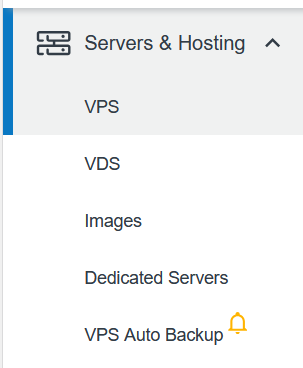
3. Select the relevant product (VPS, VDS, etc.).
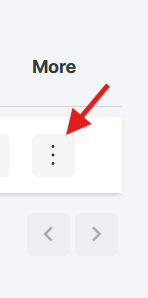
4. Click the three dots under More on the right-hand side.
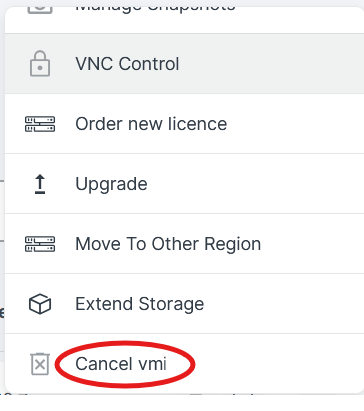
5. Scroll down and select Cancel [Instance Name].
The service will remain active until the end of its current billing period.
How to add a new service
To add a new service, place an order through the Customer Panel.
1. Log in to the Customer Panel.
2. Go to Servers & Hosting.
3. Click one of the available Order buttons.
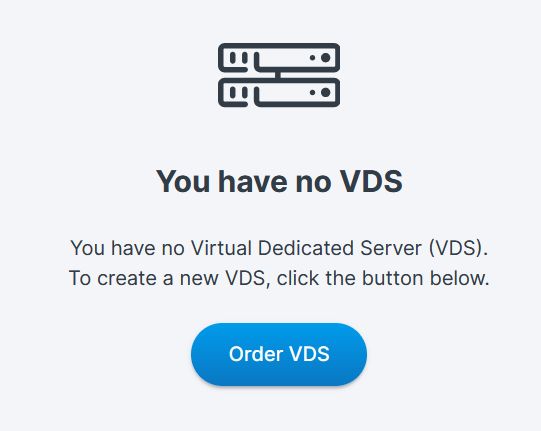
4. You will be redirected to the Contabo website to complete your order.
After completing your order, you can track the status of your order.
For more details, see: How can I check the status of my order?
Was this article helpful?
That’s Great!
Thank you for your feedback
Sorry! We couldn't be helpful
Thank you for your feedback
Feedback sent
We appreciate your effort and will try to fix the article
