Can you confirm my service was cancelled?
To check if your service was cancelled:
1. Log in to the Customer Panel
2. Click on ‘Your services’ on the left side
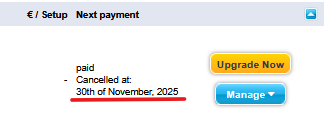
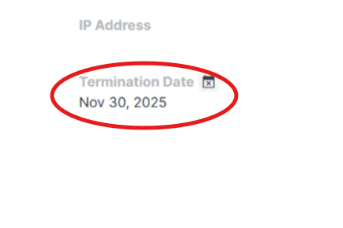
3. If you cancelled your service, you will see the cancellation date:
- Under ‘Next payment’ on my.contabo.com
- Under ‘Termination Date’ on new.contabo.com
For more information about cancelling your service, see How Can I Close My Contabo Account or Cancel a Contabo Service?
Was this article helpful?
That’s Great!
Thank you for your feedback
Sorry! We couldn't be helpful
Thank you for your feedback
Feedback sent
We appreciate your effort and will try to fix the article
